Open your invitation email
Find the AI-HEART account update email and click the account update link.

Step-by-step instructions for cardiologists and healthcare professionals to securely access the AI-HEART ECG platform.
AI-HEART helps clinical teams review ECG data, detect arrhythmias, classify beats, and generate cardiac diagnostic insights with hospital-grade precision. This guide explains how to activate your account, configure your one-time password code, and sign in safely.
Activate your account and access AI-HEART securely in four clear stages.
Find the AI-HEART account update email and click the account update link.
Set and confirm your new password to activate your account.
Use an authenticator app to generate your 6-digit one-time code.
Enter your email, password, and OTP code to access the platform.
Follow these steps to activate your account and complete future logins safely.
Receive the action required email sent by Ai-HEART.
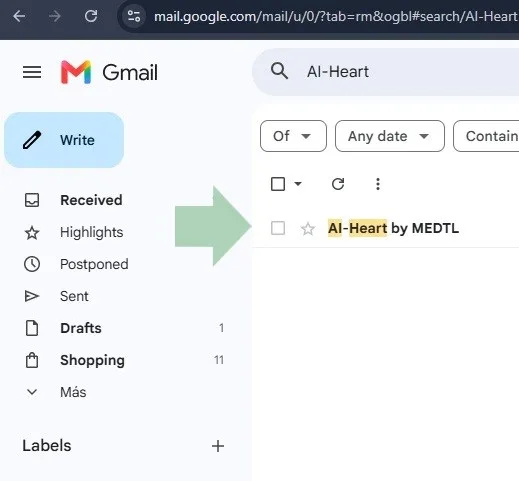
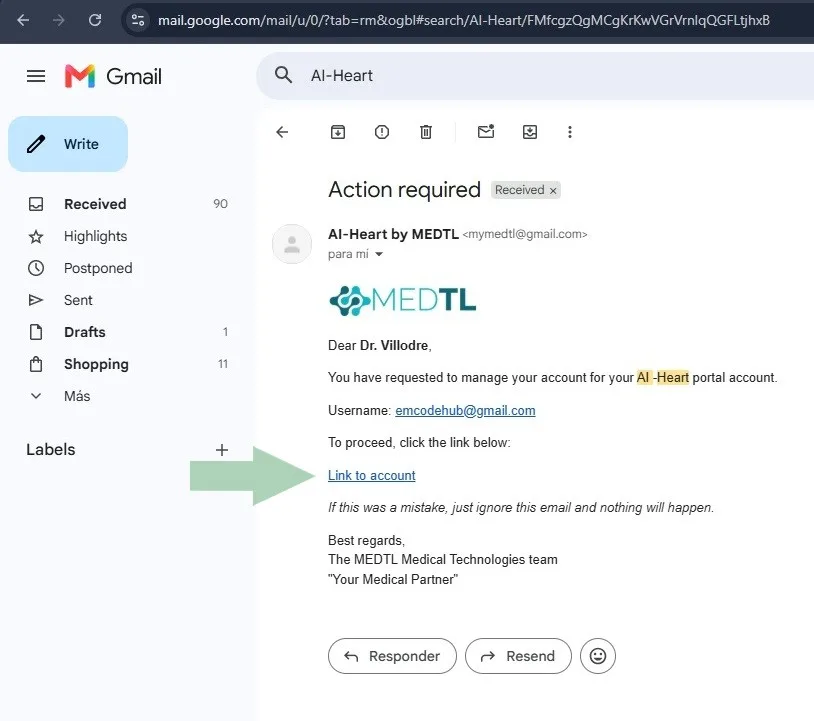
Open the email and locate the account access link.
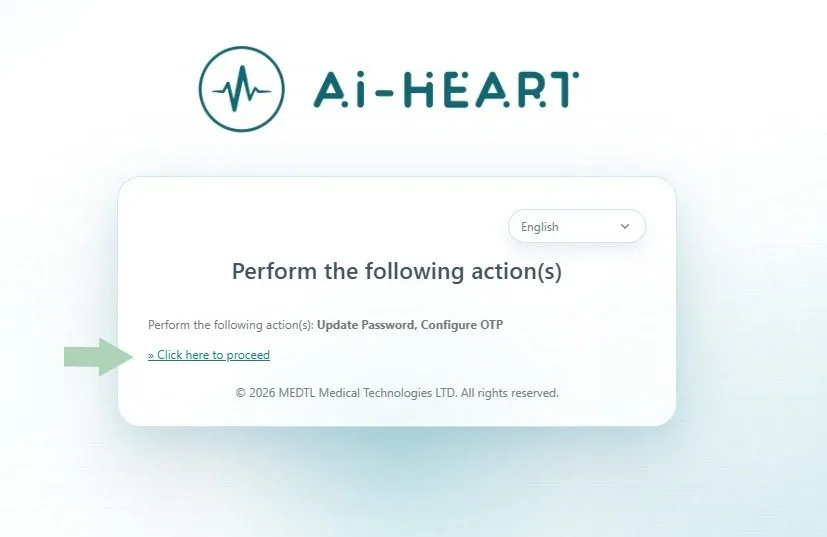
Click "Click here to proceed" to begin the configuration.
Scan the QR code with an authenticator app.
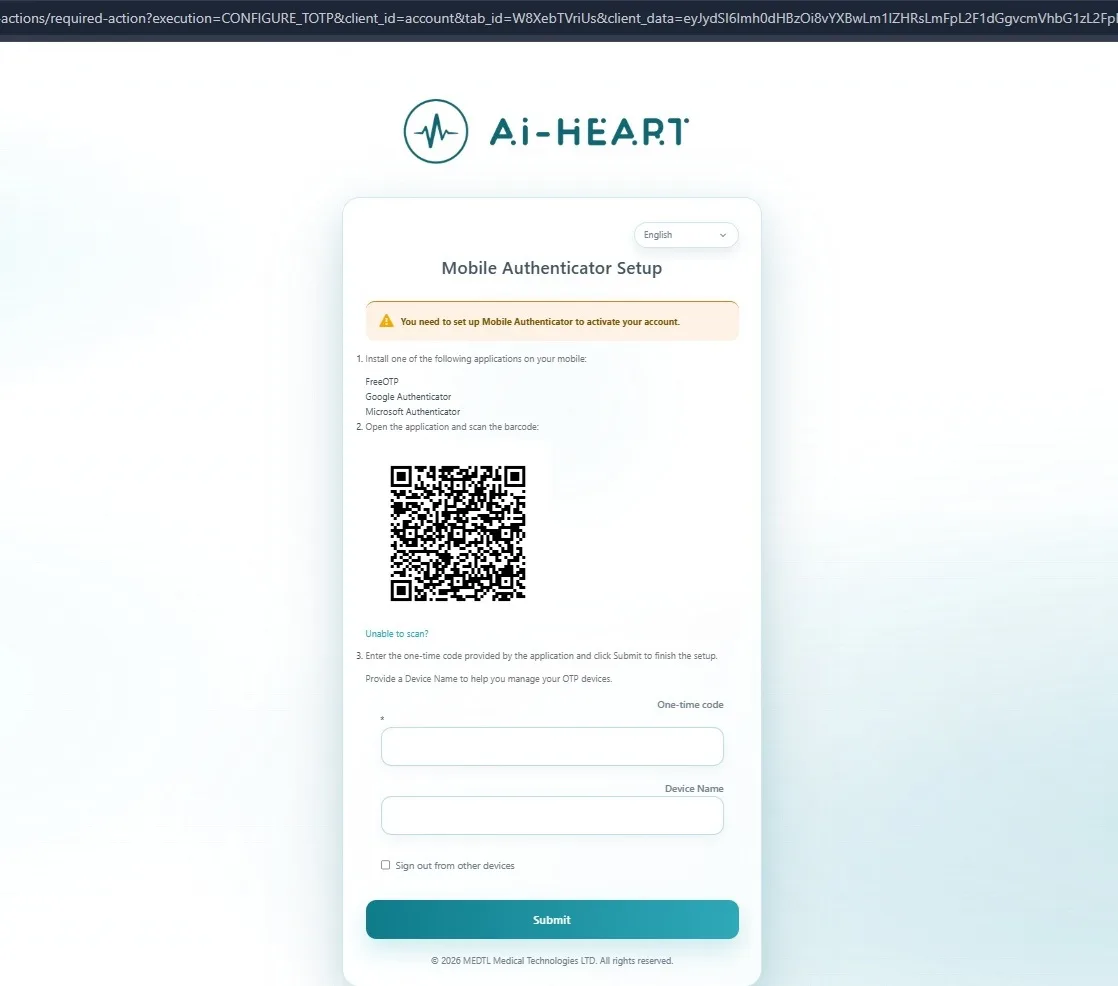
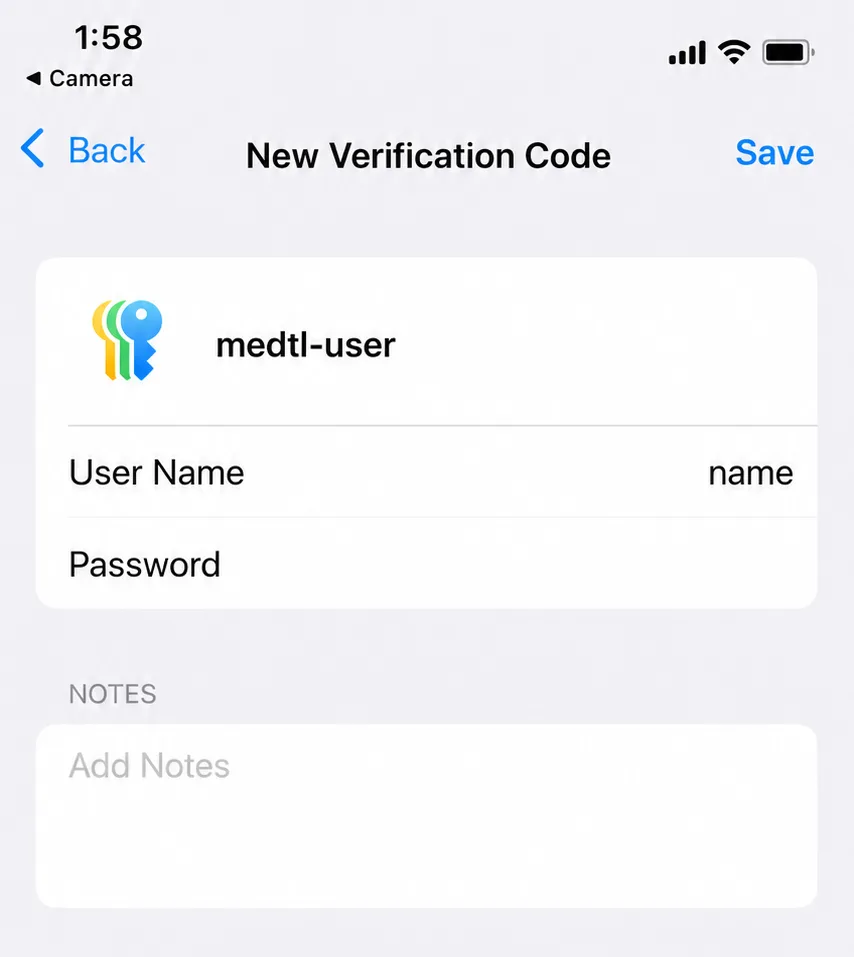
Save the new OTP account on your phone. This image is vertical because it represents the mobile screen.
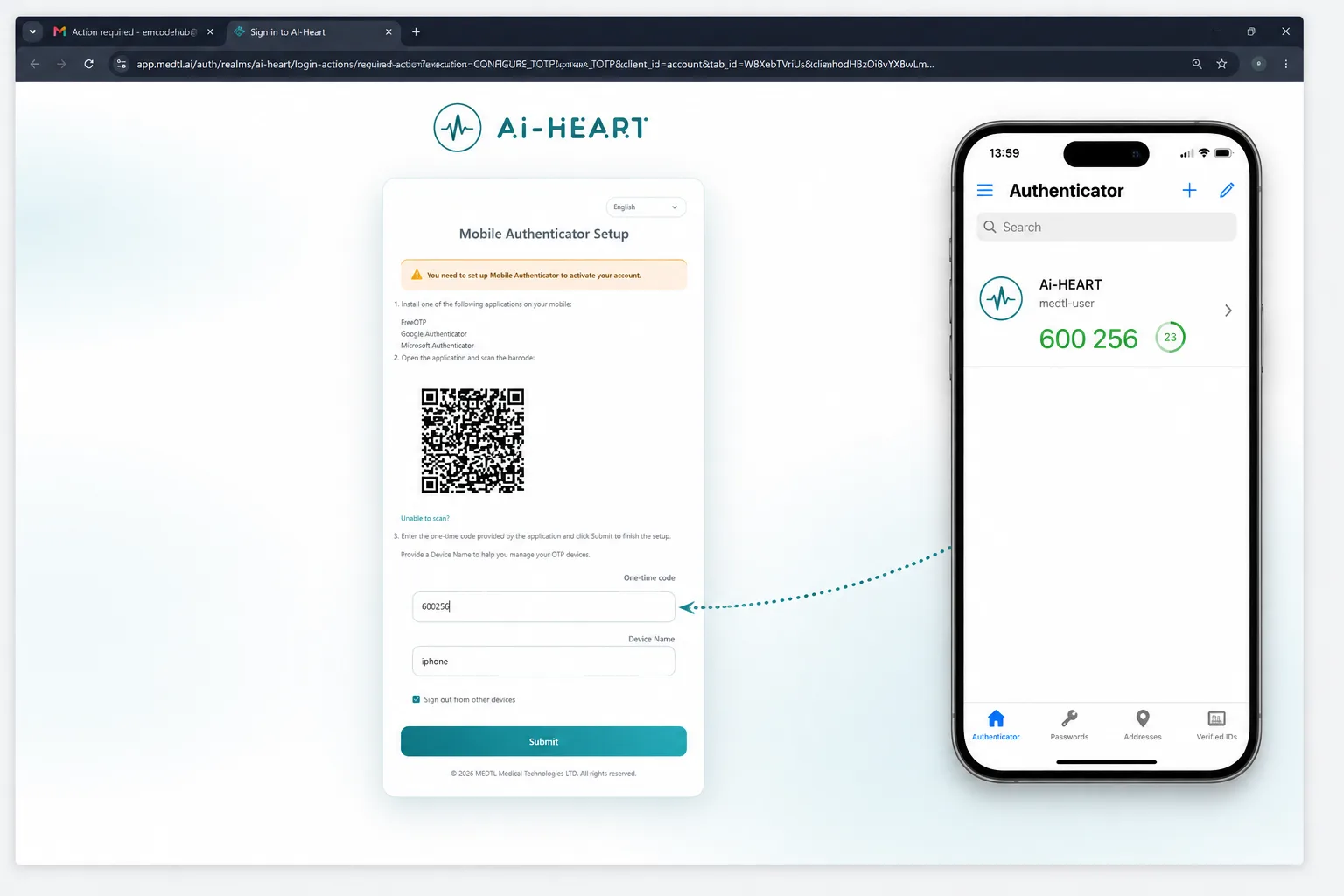
Enter the generated OTP code and assign a name to the device.
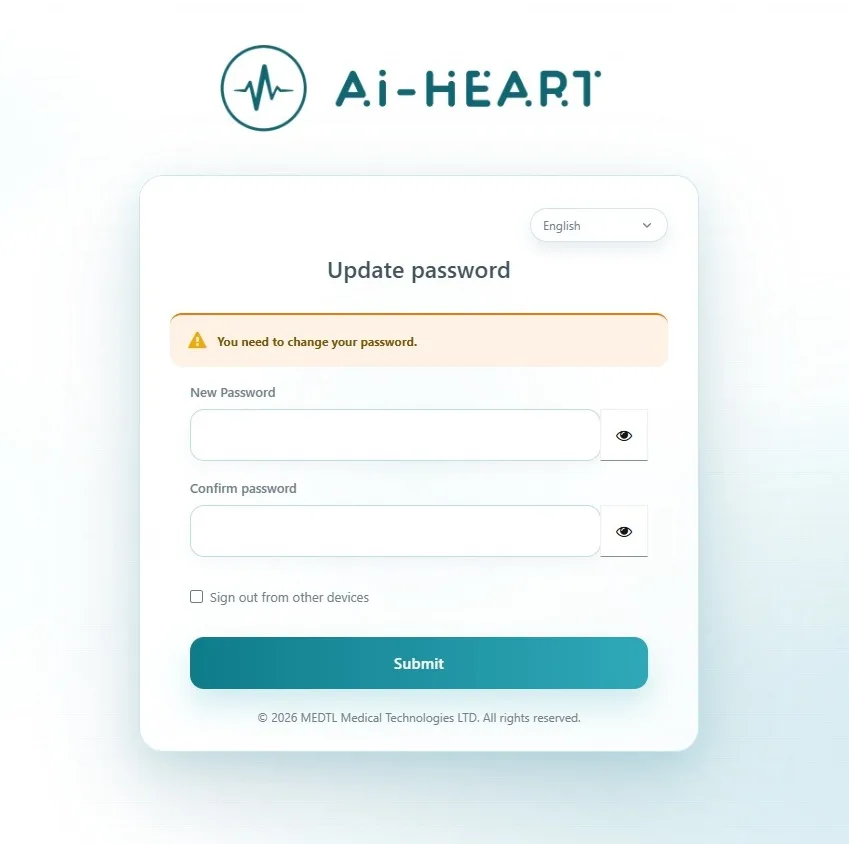
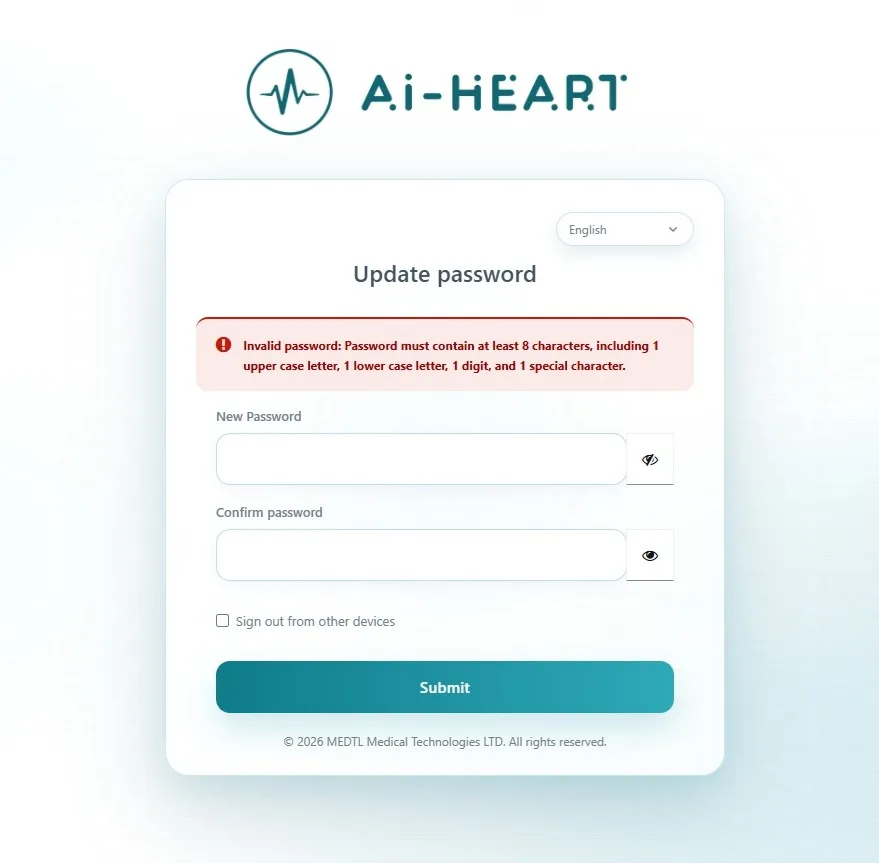
Create a new secure password.
If the password does not meet the requirements, review the warning and correct it.
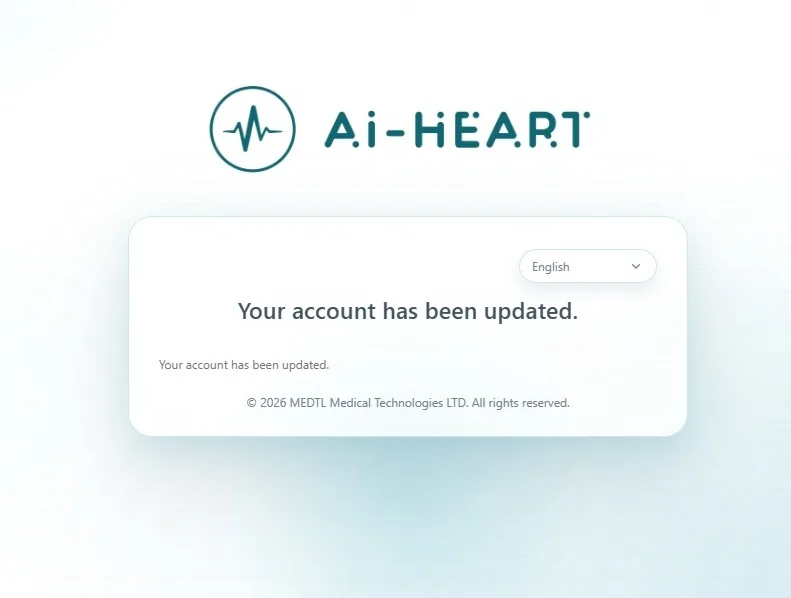
Confirm that the account has been updated successfully.
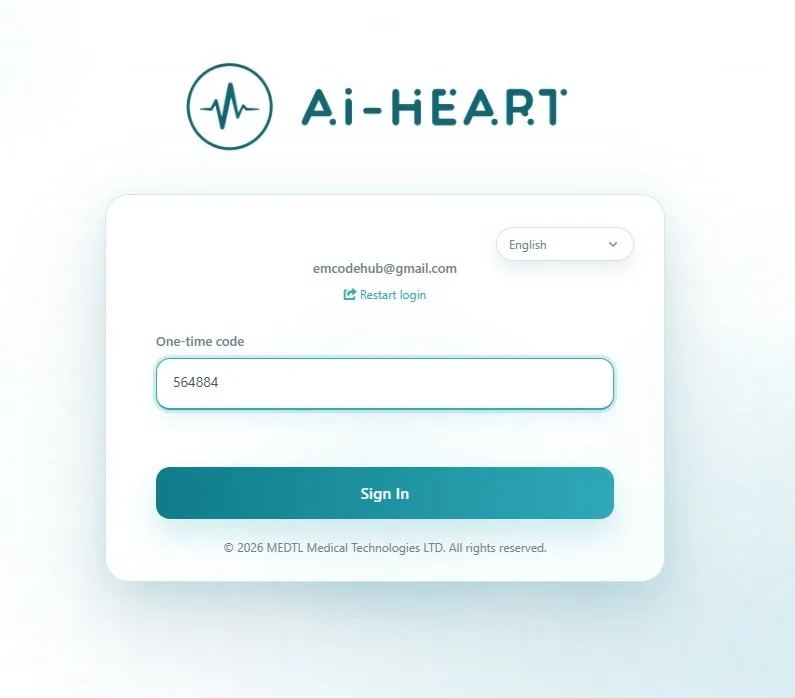
Sign in by entering the OTP code.
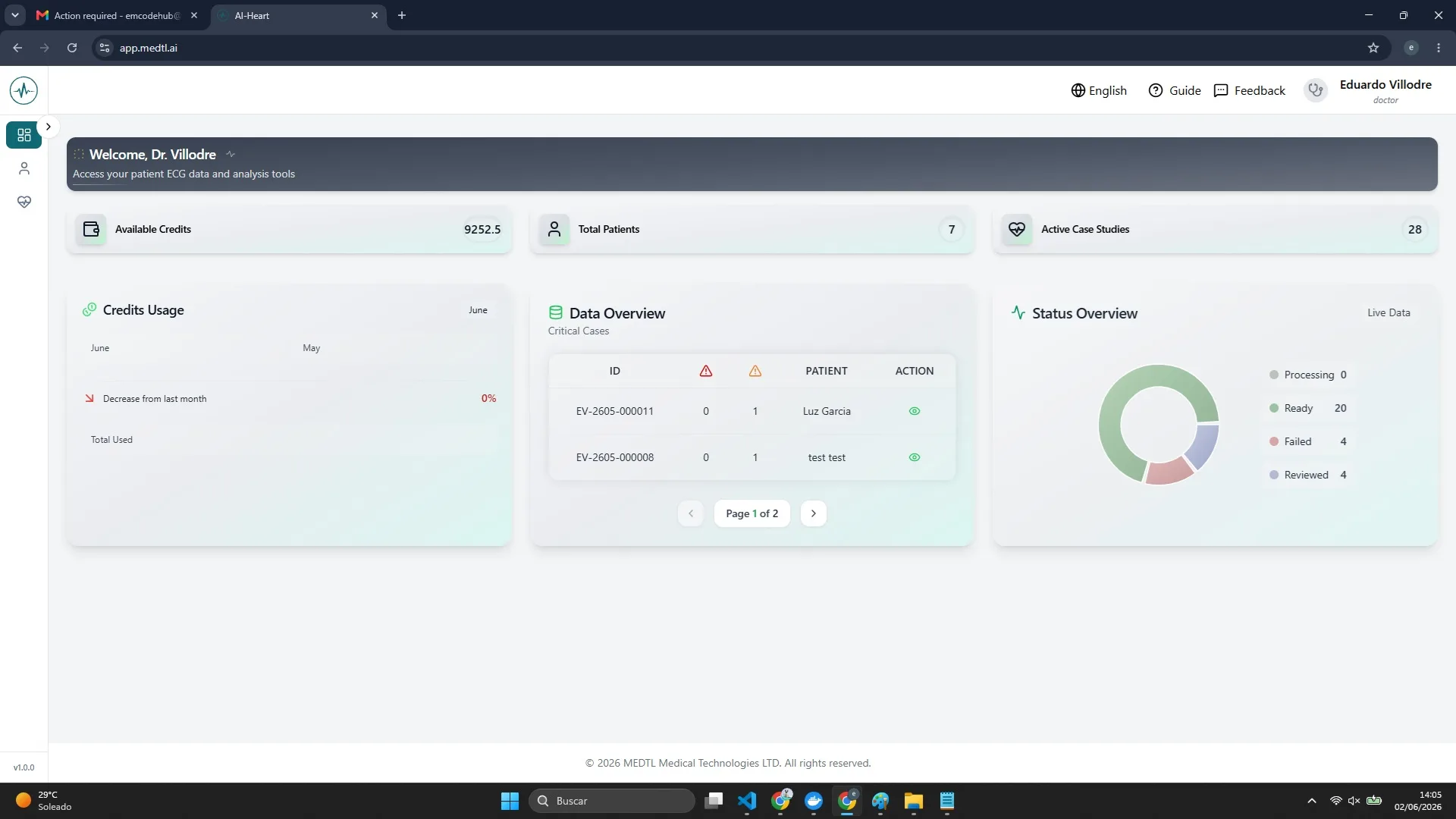
Verify that access to the dashboard has been completed successfully.
Your OTP is an additional security layer that protects patient information and ECG data.
These quick answers solve the most frequent login questions.
Open your authenticator app on your phone and look for the AI-HEART or medtl entry. The 6-digit code shown there is your OTP.
Wait for the next code to refresh and try again. Make sure your phone time is set automatically, because OTP codes depend on accurate time synchronization.
Ask your administrator or MEDTL support to send a new account update invitation.
Contact your administrator or MEDTL support so your OTP can be reset and configured again.
Use the “Forgot Password?” option on the AI-HEART login page or contact your administrator.
No. Your password is created by you. The OTP is a temporary 6-digit code generated by your authenticator app.
Secure access helps ensure that only authorized healthcare professionals can view sensitive clinical information.
Keep clinical information private.
Use both your password and OTP.
Protect diagnostic processes.
Use your personal login securely.
Use the secure AI-HEART platform to access ECG analysis tools, arrhythmia detection workflows, and cardiac diagnostic insights.
If you need help, contact your administrator or MEDTL support.

Scan to access the platform: https://www.app.medtl.ai
Contact: +357 7778 7333 · [email protected]
91 Limassol Avenue, Aglantzia, Office 202, Nicosia 2121
www.medtl.ai